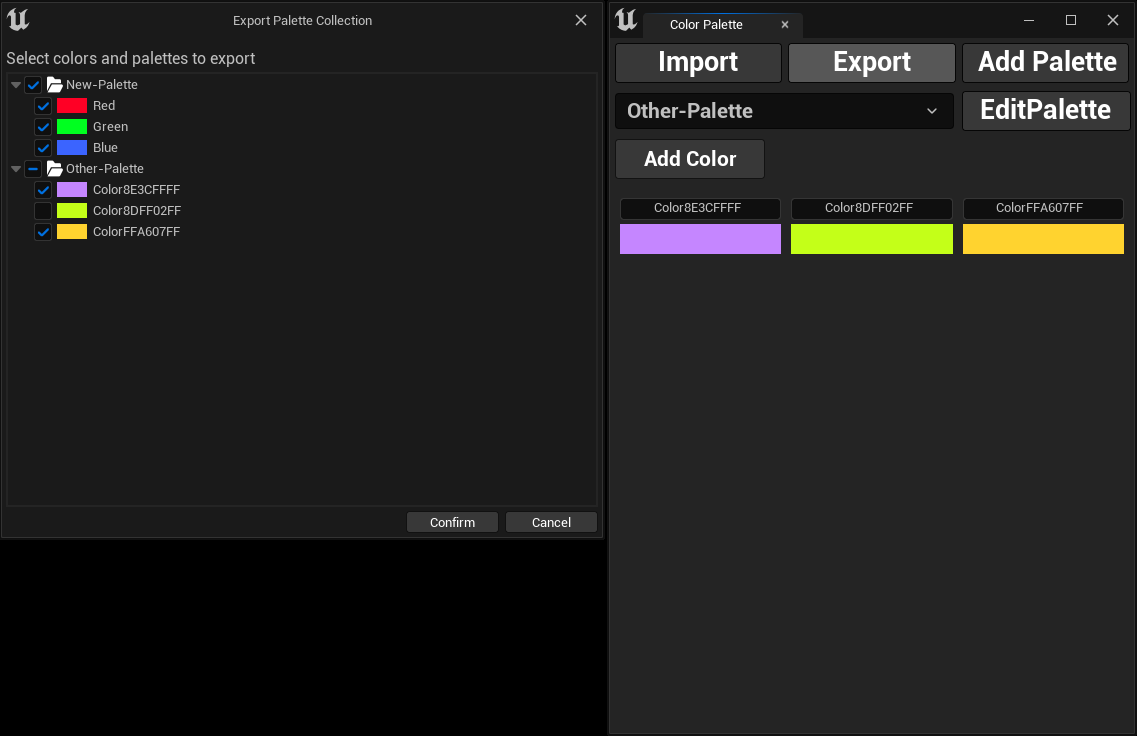
Export Color Palettes
Exporting Color Palettes
Section titled “Exporting Color Palettes”To share your color palettes across projects or with your team, you can easily export them by following these steps:
- Click the
Exportbutton. - A file save dialog will appear, allowing you to choose where to save the exported palettes.
- Set the file name and directory, then click
Save. - A new dialog will open, letting you select specific palettes and colors to export.
- Finally, click
Confirm, and your selected palettes and colors will be saved to the chosen file.